
Visit the live e-money.hk website ↗
The website task: make several services easy to understand.
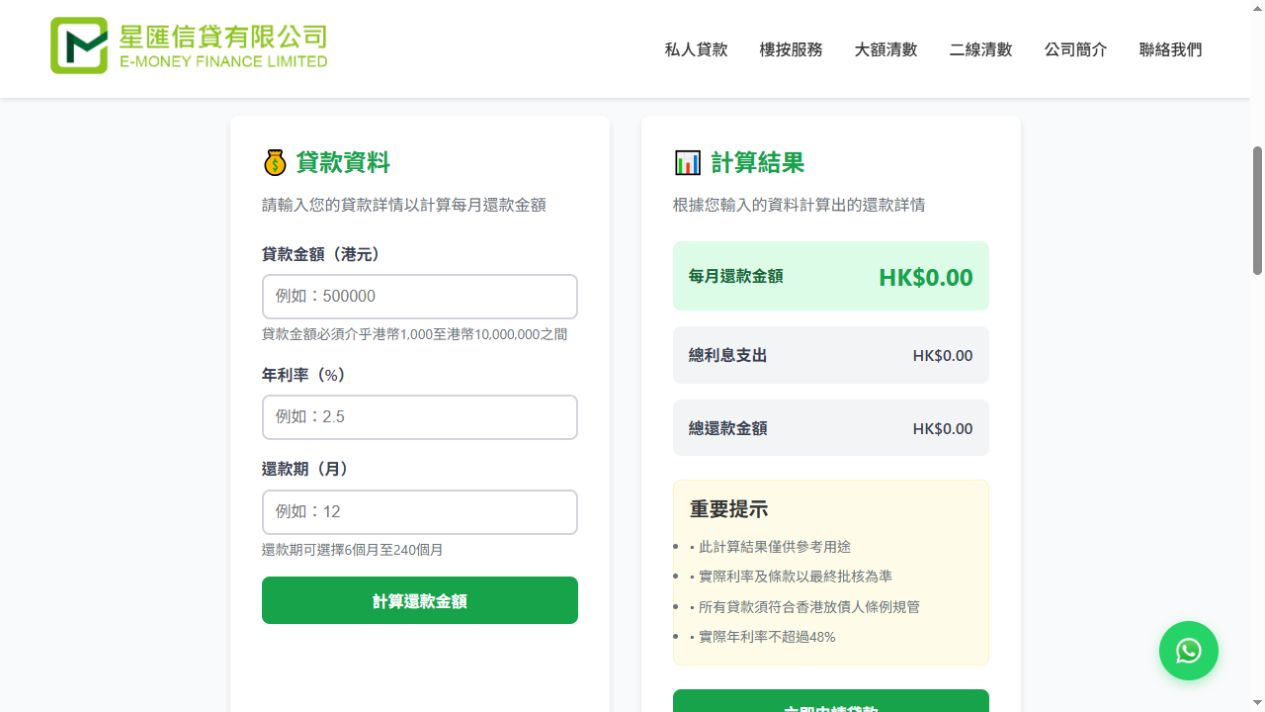
e-money.hk is a financial services business website. Its navigation groups services into categories alongside company and contact information. For a first-time visitor, clear service names help identify where to begin. For someone who already knows what they need, the same structure provides a direct route to the relevant content.
Three useful interface details
01 / Organise by service
Separate entry points allow each service page to focus on one topic. This also gives a business a structure to review as its services grow, rather than continually adding more content to the homepage.
02 / Separate inputs and results
The loan calculator presents input fields and results in distinct areas, with information about how the results should be used. The tool and the explanatory copy have different roles: one organises the visitor’s inputs, while the other explains the service and its conditions.
03 / Make contact routes clear
Contact options connect with the service content so visitors can ask the company to confirm details. A calculated result is not itself a service commitment or approval.
How can the journey from browsing to enquiry be planned?
The interface provides a useful reference for a three-step content journey: identify a need, understand the relevant information and ask a question. The same sequence can guide other service websites. Can visitors recognise the right service? Does the page answer their initial questions? Is there an appropriate contact option when they finish reading?
- Find the relevant service: use familiar categories in navigation and homepage summaries.
- Understand the information: distinguish explanations, required inputs and any tool results.
- Start a conversation: place a clear contact option beside relevant content.
What can your business take from this example?
Consultancies, engineering businesses and other professional service companies can start by grouping services around customer needs, then decide what each page should contain. A calculator is not necessary for every business. Where pricing depends on many factors, explaining the information needed for a quote and offering a simple enquiry route may be more useful.
To evaluate a website like this, distinguish service-page visits, contact-link clicks and genuine enquiries received. This case describes the visible interface and content structure; it does not make performance claims based on unpublished traffic or sales figures.
Which requirements fit the standard plan?
Company information, services, work examples and contact details can be planned within a 5-page business website. The HK$5,000 plan covers one language and 5 pages, with the delivery period of 3 working days starting once content, assets and design direction are confirmed. Custom calculators like the one in this example, extra pages, additional languages and system integrations require a separate assessment and quotation.
Start with your services, then plan the pages.
Send us your service list, current website and the questions customers ask most often. These provide a practical starting point for discussing your content structure and enquiry flow.